
Labels
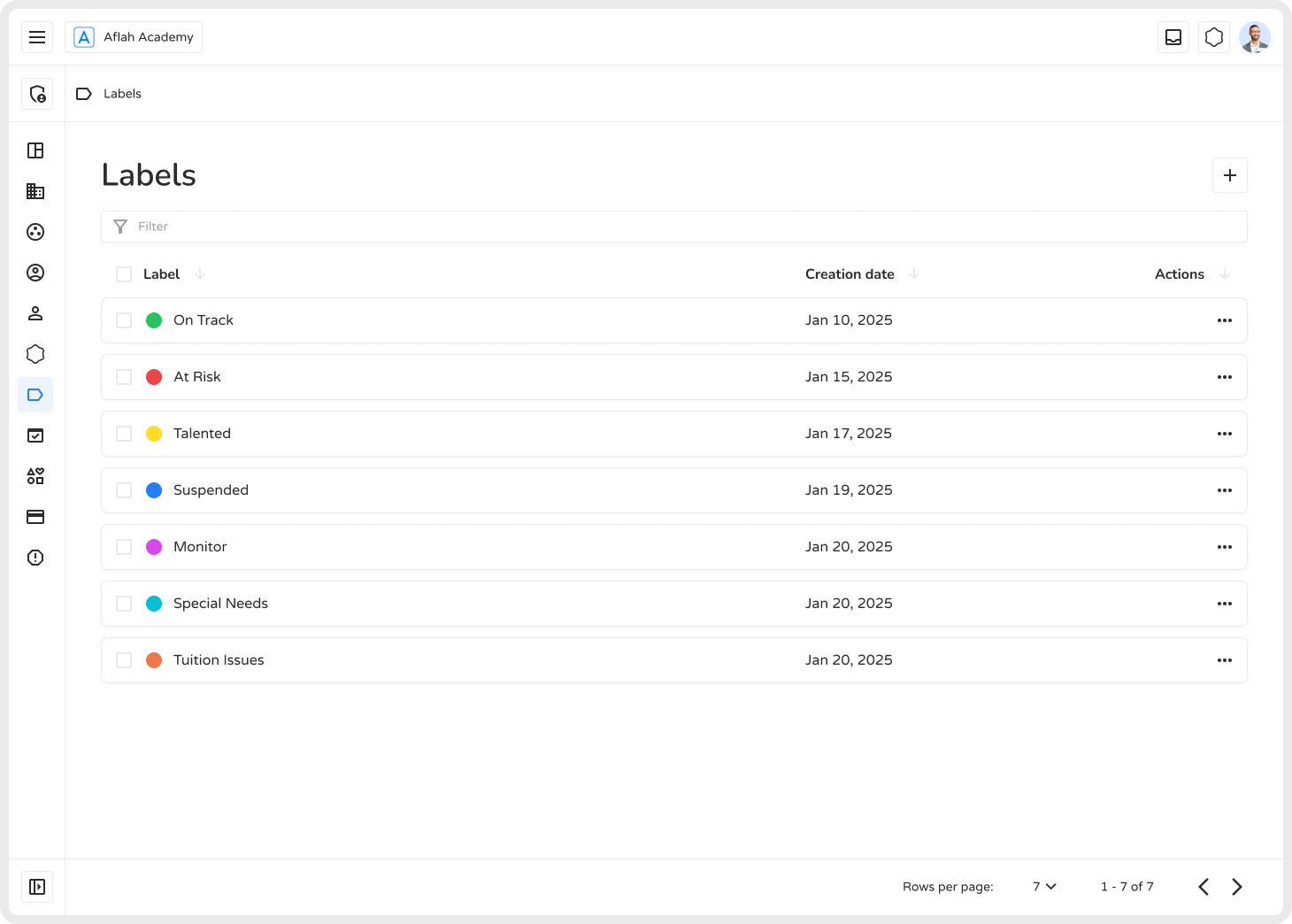
Labels are a versatile tool in Ilmiya for organizing and categorizing elements such as students/staff, spaces/classes, and families. They help track performance, manage records efficiently, and enable quick identification of items based on specific criteria.
Creating Labels
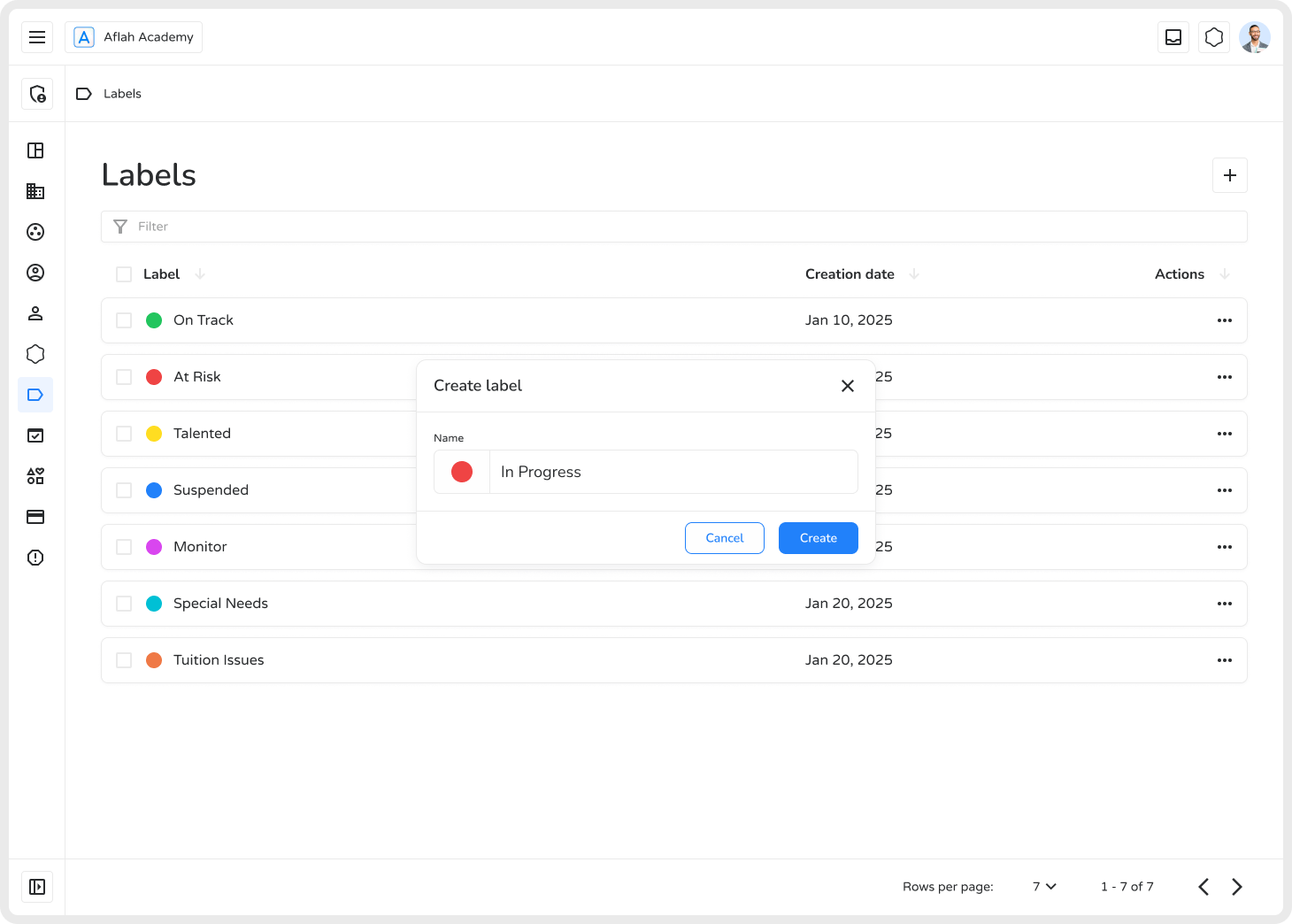
Section titled “Creating Labels”- Click the ”+” button to open the label creation modal.
- Enter a name in the Name field.
- Click the color circle (pre-filled with a default color) to open the color picker and select a color.
- Click Create to create the label.
Managing Labels
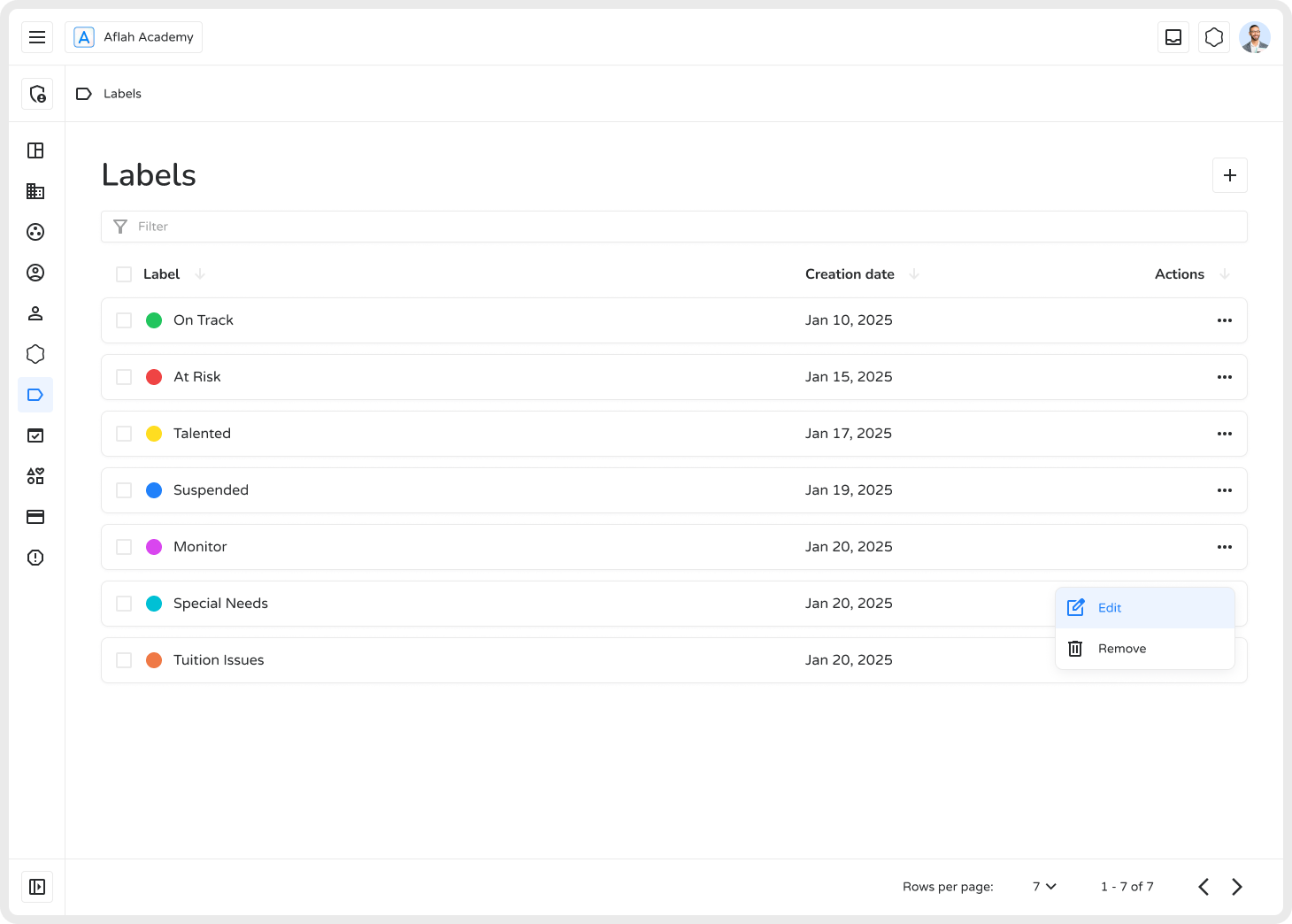
Section titled “Managing Labels”Use the three-dot menu (⋮) on any label to:
| Action | Description |
|---|---|
| Edit | Update the label’s name or color |
| Remove | Permanently delete the label |
Filtering and searching labels is done through a separate search bar at the top of the page, not through the three-dot menu.
Bulk Selection
Section titled “Bulk Selection”Labels can be selected in bulk using checkboxes next to each row, including a “select all” checkbox in the header. Once one or more labels are checked, a bulk-action bar appears, letting you remove the selected labels together in a single action.
Sortable List
Section titled “Sortable List”The label list can be sorted by creation date (ascending/descending) by clicking the column header.
Where Labels Can Be Applied
Section titled “Where Labels Can Be Applied”Labels can be attached to:
- Students/Staff — via each user’s profile
- Spaces/Classes — via a class’s detail page
- Families — via family records
Labels are not currently supported on individual tasks — only on users, classes/spaces, and families.
Benefits
Section titled “Benefits”- Easy Organization — Categorize students, staff, spaces, or families at a glance.
- Quick Identification — Colors and names provide instant visual recognition.
- Efficient Filtering — Locate specific groups using the search bar without scrolling through long lists.
- Performance Tracking — Monitor progress using labels like “Needs Improvement” or “Excellent Performance”.
Using labels effectively helps streamline workflows, enhance organization, and improve productivity within Ilmiya.
Loading Markdown…
Markdown could not load. or open the raw file.