
Logs
Logs are a detailed record of all user activities within Ilmiya. They help institutions maintain security, transparency, and accountability by tracking every action performed by staff members, teachers, and administrators.
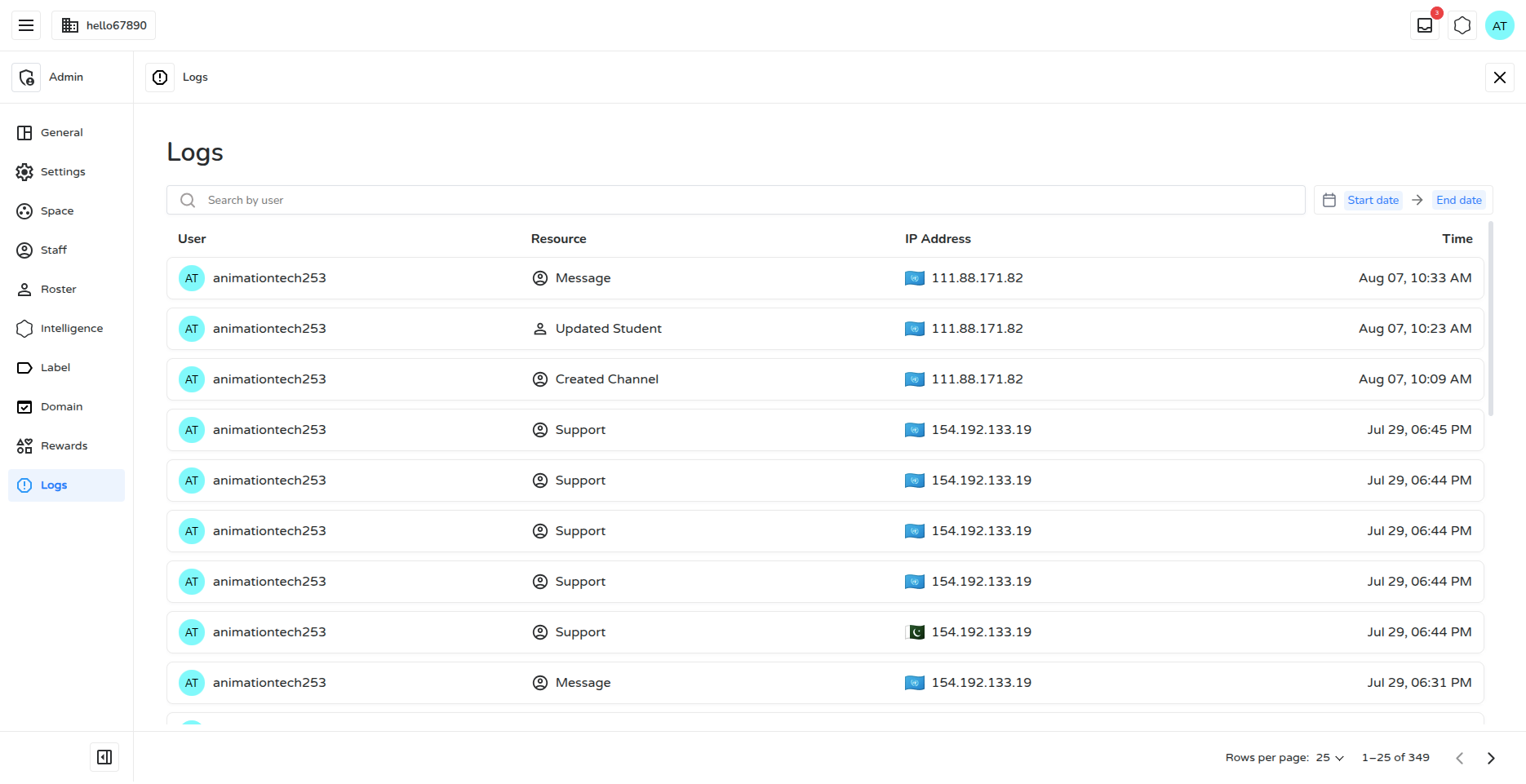
The Logs section provides real-time insights into user interactions, including live location details, and each entry’s details can be downloaded as a PNG image for auditing purposes.
Key Features
Section titled “Key Features”1. User Activity Tracking
Section titled “1. User Activity Tracking”Logs capture every action — including account creation, modifications, and logins — ensuring a well-organized and monitored digital environment.
2. Timestamp & IP Address
Section titled “2. Timestamp & IP Address”Each log entry includes:
- The exact time the action occurred
- The user’s IP address
This helps detect suspicious or unauthorized access patterns.
3. Categorized Entries
Section titled “3. Categorized Entries”Logs are organized by:
| Field | Description |
|---|---|
| User | Who performed the action |
| Action | What was done (create, update, delete) |
| Resource | What was affected (student, class, invite, label, family, course, behaviour, organization, etc.) |
| IP Address | The IP address the action originated from |
| Timestamp | When it happened |
4. Security & Compliance
Section titled “4. Security & Compliance”Detailed logs support:
- Internal and external audits
- Investigation of specific incidents
- Adherence to institutional and regulatory policies
5. Search & Filter Tools
Section titled “5. Search & Filter Tools”Admins can search log entries by username and narrow results to a specific date range using the start/end date filters above the log table. Entries load with pagination for easy browsing.
6. Device & Browser Information
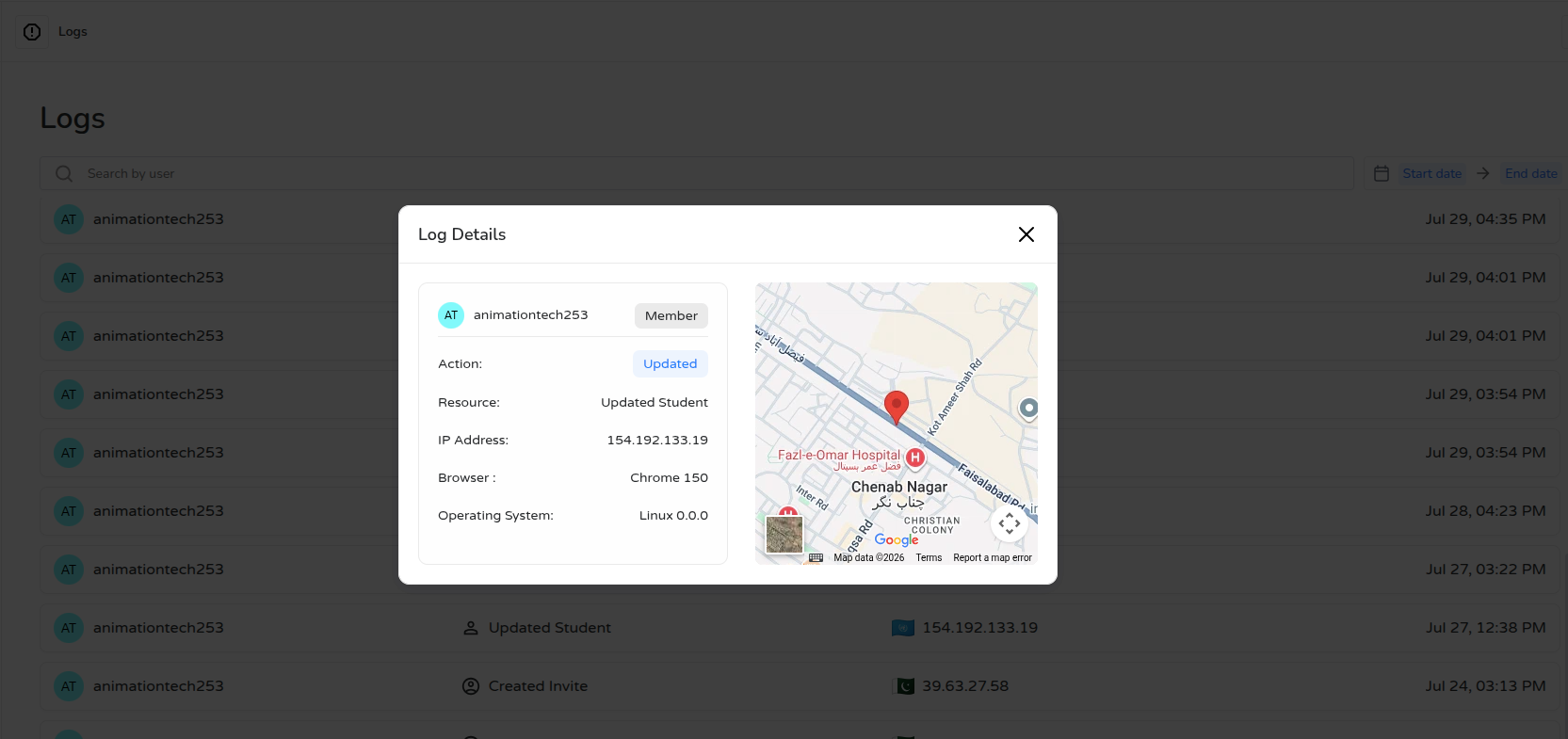
Section titled “6. Device & Browser Information”Each log entry’s detail view shows the browser (e.g., Chrome, Safari) and operating system (e.g., Windows, macOS, Android) used at the time the action was performed, giving administrators extra context when reviewing an activity.
7. Location Lookup
Section titled “7. Location Lookup”From a log entry’s detail view, administrators can view the approximate geographic location associated with that entry’s IP address, shown on an embedded map. The location is resolved at the city/region level and is displayed per log entry when opened.
8. Export Log Details
Section titled “8. Export Log Details”A log entry’s detail view — including user, action, resource, IP address, browser/OS, and location map — can be downloaded as a PNG image for record-keeping.
Why Logs Matter
Section titled “Why Logs Matter”- Prevent Unauthorized Access — Monitor all system activities in real time
- Ensure Data Integrity — Track every change made to important records
- Improve System Performance — Detect errors and unusual behavior patterns early
The Logs feature empowers institutions with complete visibility, helping maintain a safe, efficient, and compliant digital learning environment.
Loading Markdown…
Markdown could not load. or open the raw file.