
Managing Records
Records help track progress, organize tasks, and document milestones. Keeping them updated and removing outdated entries ensures a clean, efficient workspace.
Why Manage Records
Section titled “Why Manage Records”- Edit Records — Refine or expand entries as tasks or goals evolve.
- Remove Records — Delete outdated or unnecessary entries to reduce clutter.
How to Edit a Record
Section titled “How to Edit a Record”- Go to the Records page.
- Click the three-dot (⋯) menu beside the record and select Edit.
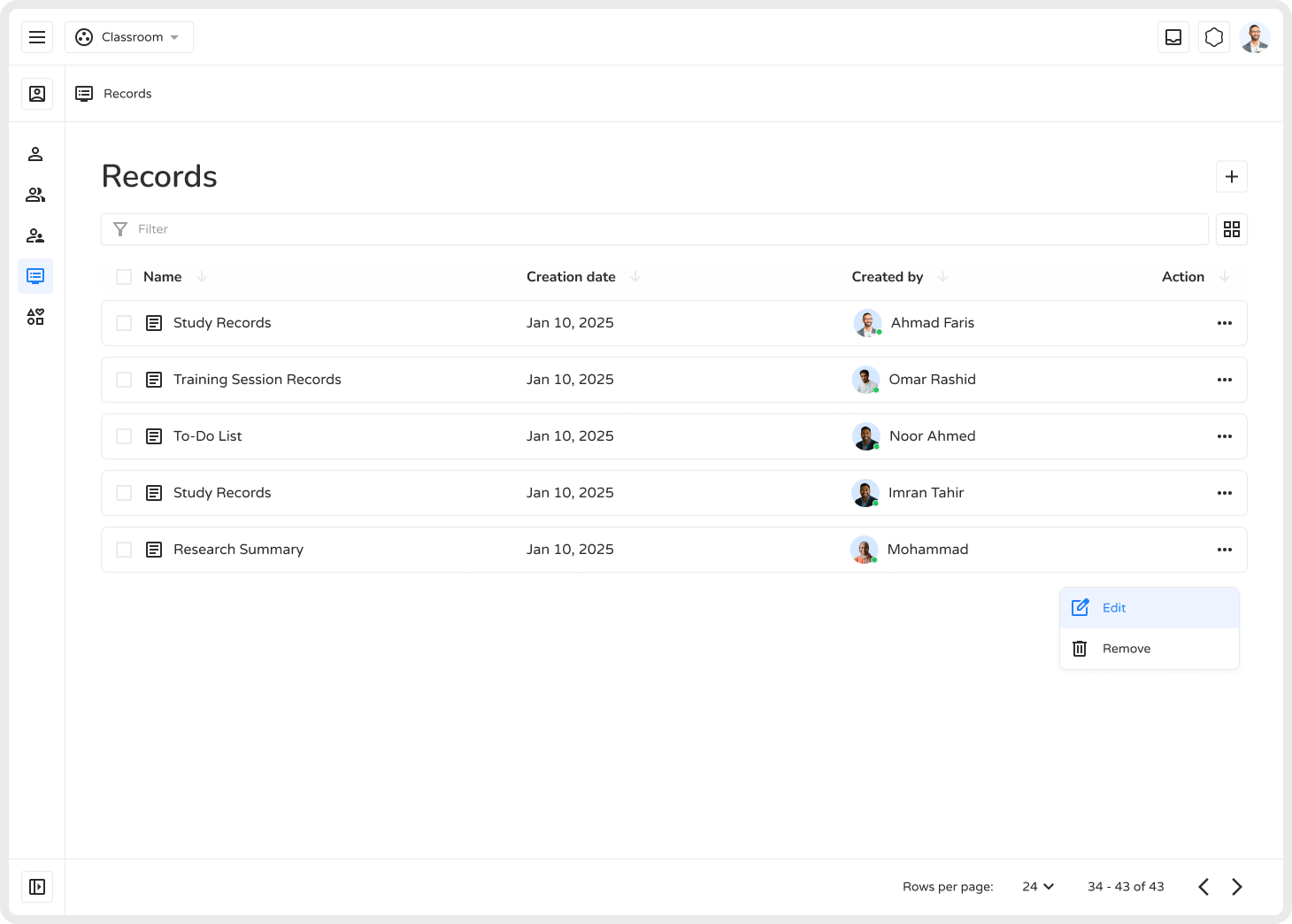
- Update the title, content, or details.
- Click Update to apply changes.
This is especially useful for to-do lists, class summaries, or progress tracking documents that need frequent updates.
How to Remove a Record
Section titled “How to Remove a Record”- Go to the Records page.
- Click the three-dot (⋯) menu next to the record and select Remove.
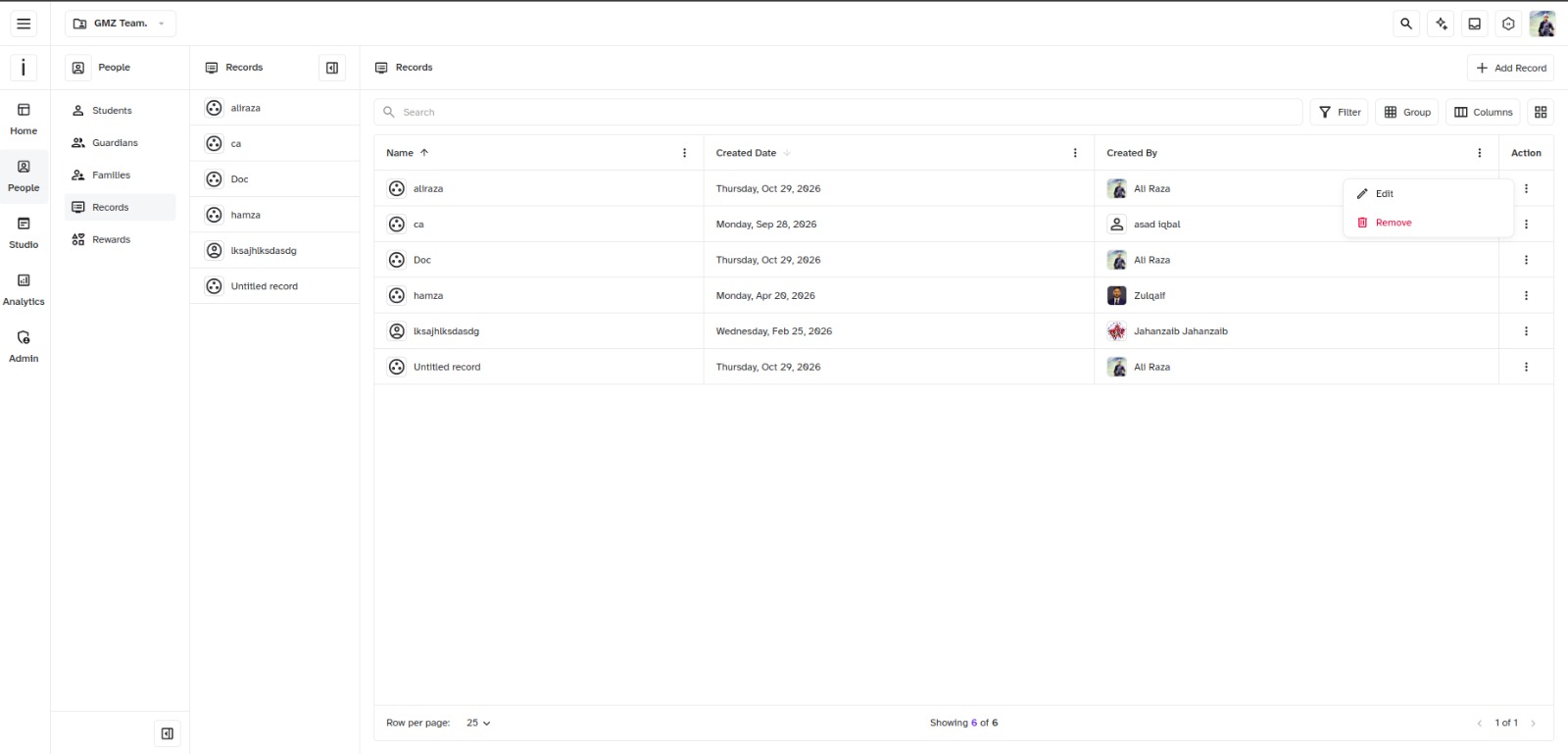
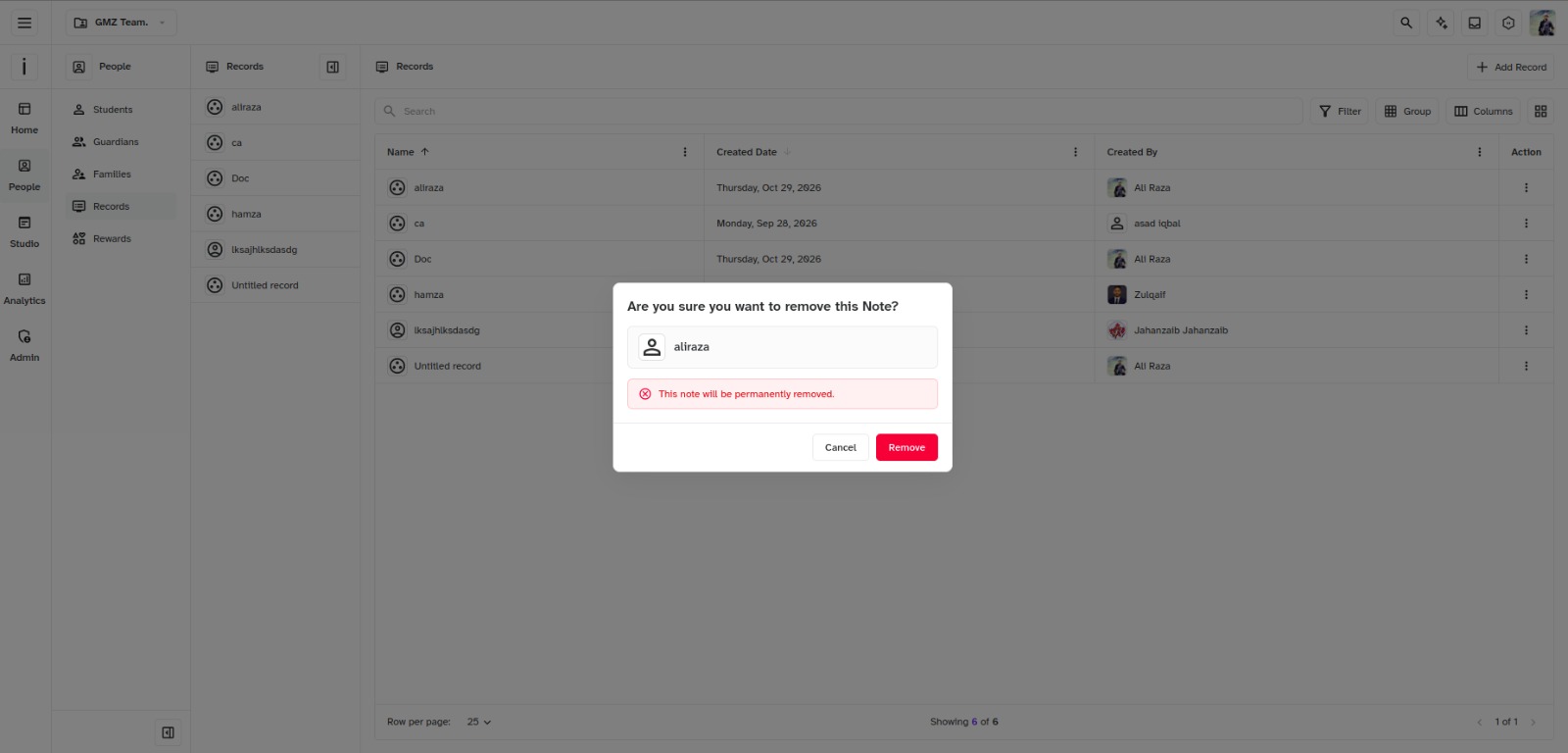
- Confirm deletion in the popup by clicking Remove.
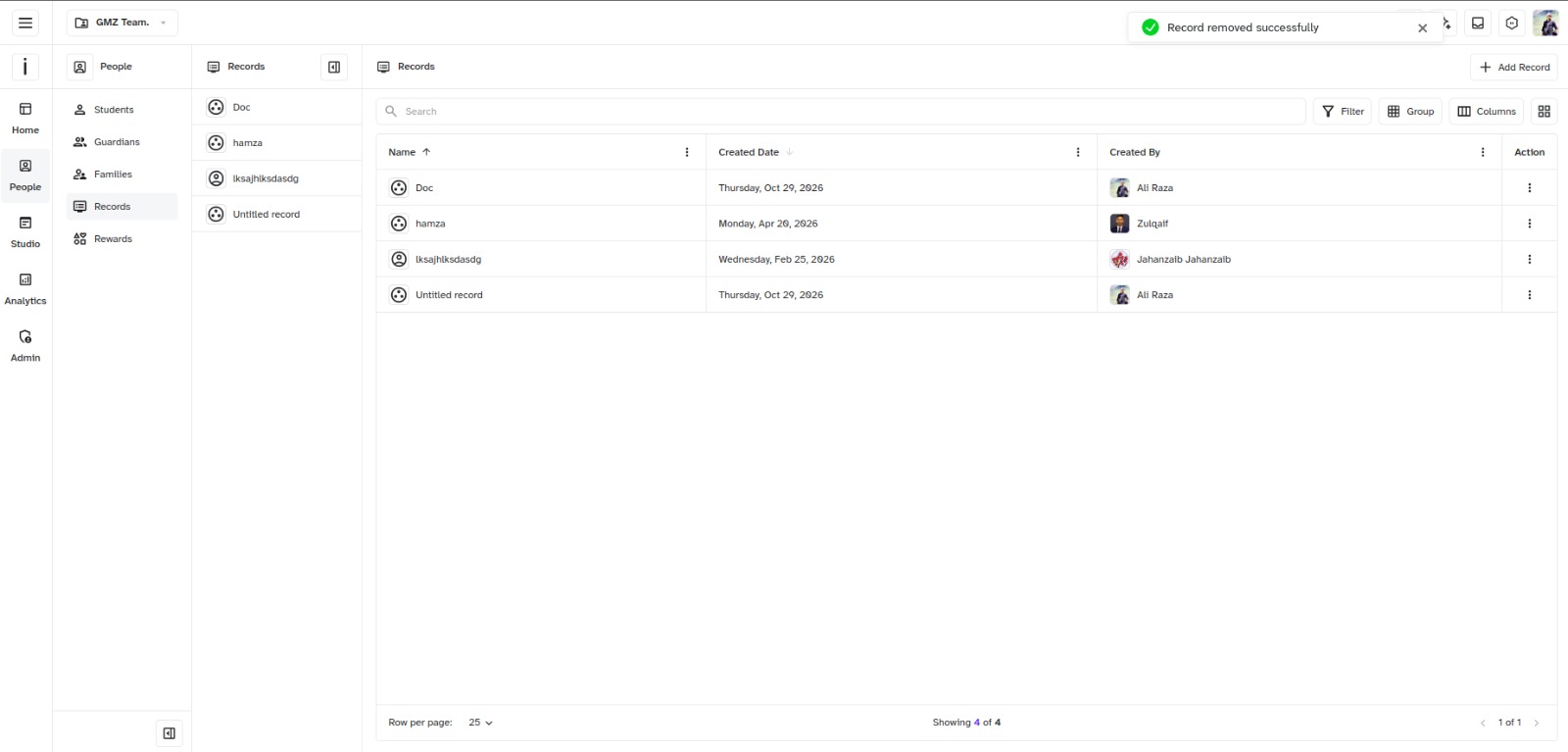
- A confirmation message will appear: “Record removed successfully”
Outcome
Section titled “Outcome”Editing and removing records keeps your academic workspace organized, focused, and up to date.
Loading Markdown…
Markdown could not load. or open the raw file.