
Streams
In modern education, real-time tracking of student progress is essential for effective learning. The Real-Time Streams feature in Ilmiya provides educators with an insightful, live view of students’ academic engagement — enabling teachers to monitor activities, evaluate performance, and provide immediate feedback.
Key Features
Section titled “Key Features”Live Activity Overview
Section titled “Live Activity Overview”Track at a glance:
- Student name and username
- Activity status (live, color-coded)
- Current streak
- Location
- When the student last logged in
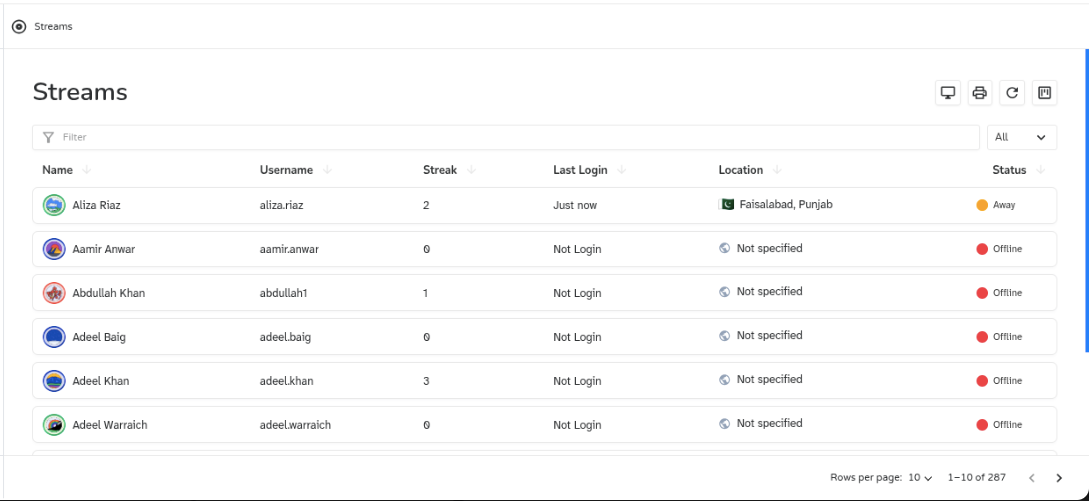
Quickly identify which students are excelling and which need support — without waiting for an assessment cycle to finish.
Activity Status
Section titled “Activity Status”Each student shows up as a colored dot next to their name, and that color changes automatically and live as they use the app:
| Dot | State | Color | What it means |
|---|---|---|---|
| Active | Green | Currently inside a lesson, quiz, or assignment and actively interacting — learning right now | |
| Idle | Yellow | Still on a lesson/quiz screen, but no interaction for about 5 minutes — paused, not actively working | |
| Away | Orange | Signed in and connected to the app, but not currently inside a lesson, quiz, or assignment at all | |
| Offline | Red | Not logged in, or the connection has dropped entirely |
Detailed Performance Analysis
Section titled “Detailed Performance Analysis”Click any student’s name to reveal a full performance summary:
- Points earned
- Correct vs. incorrect answers
- Accuracy
- Total time spent
- Speed
- Consistency
- Trophies earned
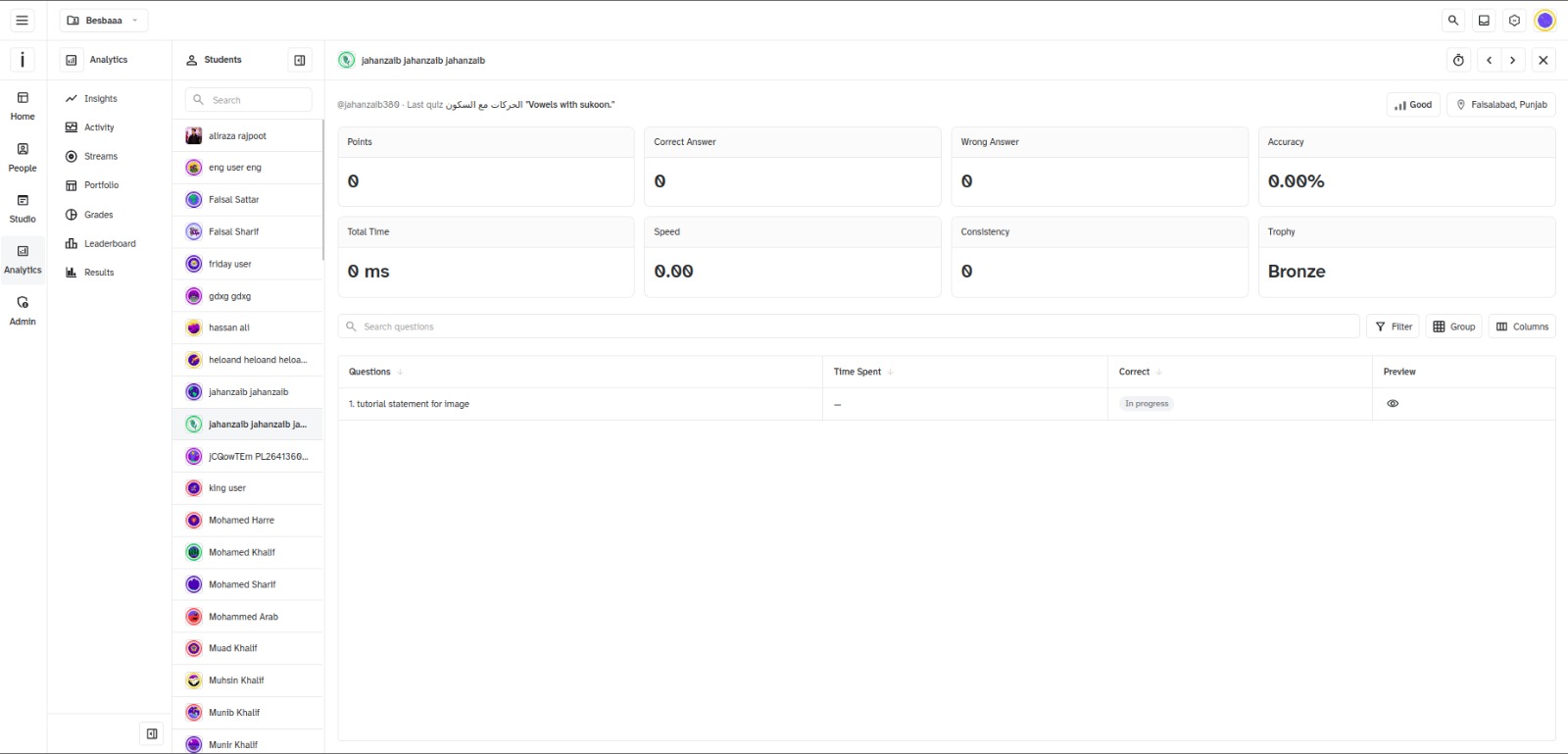
This supports data-driven teaching decisions in the moment.
Question-Level Review
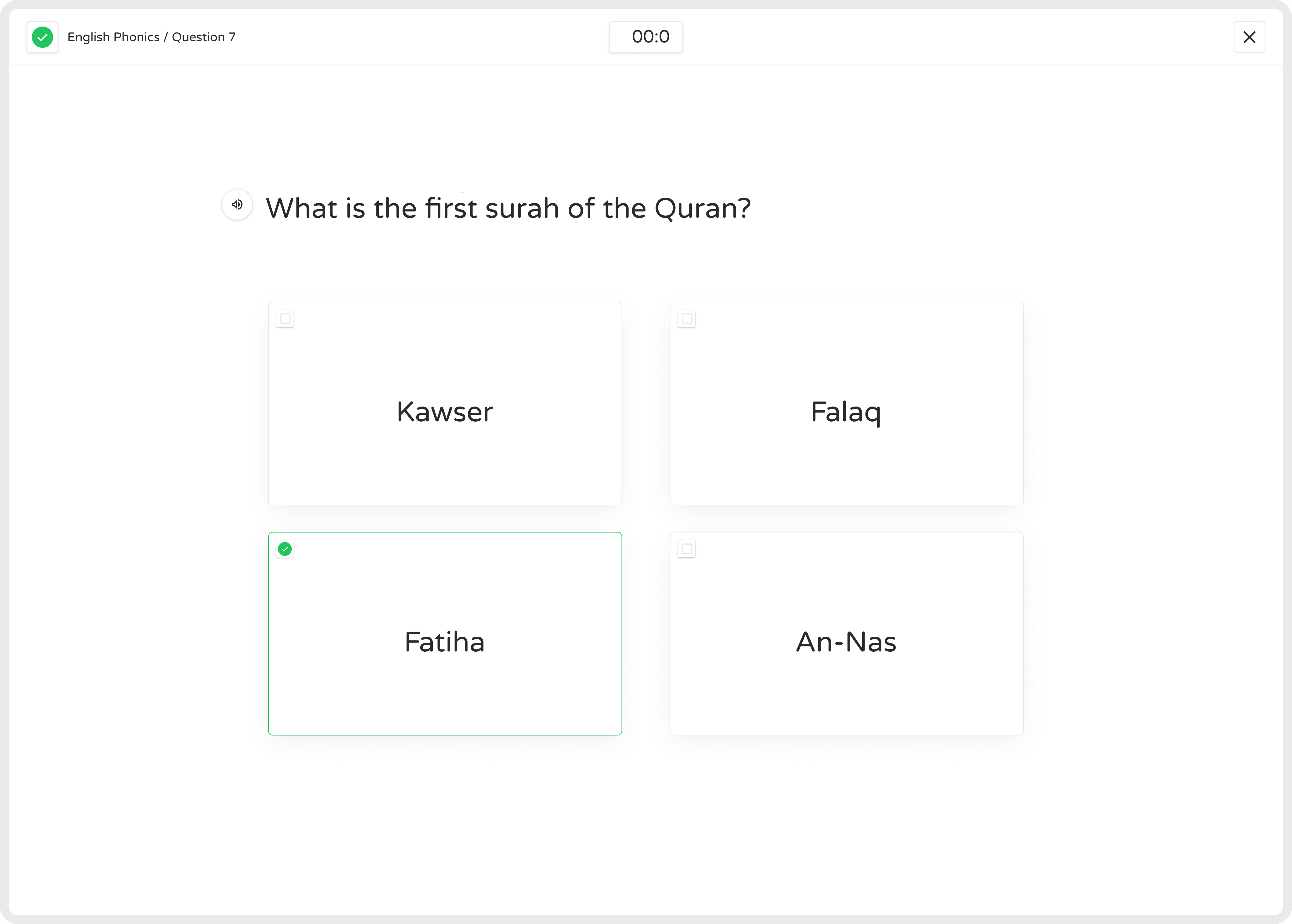
Section titled “Question-Level Review”Click into a student, then click any question in their attempt list to open a Question Preview — the same question the student saw, but read-only:
- Opens with a table of every question in that attempt — question, time spent, points earned, correct or not.
- Click a question row to preview it — this loads the question’s actual content alongside the student’s submitted answer.
- The question renders using the same component the student used live (multiple choice, drag-and-drop, fill in the blank, video, audio, and more) — just populated with their answer instead of being interactive.
Use this to:
- View the specific answer a student submitted
- Provide personalized feedback on incorrect answers
- Guide students toward proper problem-solving techniques
Best Practices
Section titled “Best Practices”| Practice | Outcome |
|---|---|
| Monitor Regularly | Track daily engagement and accuracy to catch students who need intervention early |
| Analyze Mistakes | Review errors and explain solutions for improved understanding |
| Personalize Learning | Adjust strategies and assign targeted exercises based on individual performance trends |
Real-Time Streams bridges assessment and personalized learning — offering educators actionable insights to enhance engagement and improve student outcomes.
Loading Markdown…
Markdown could not load. or open the raw file.