
Leaderboards
Ilmiya’s Leaderboards track student engagement, progress, and achievements — providing a gamified system that motivates learners while giving educators actionable insights.
Key Features
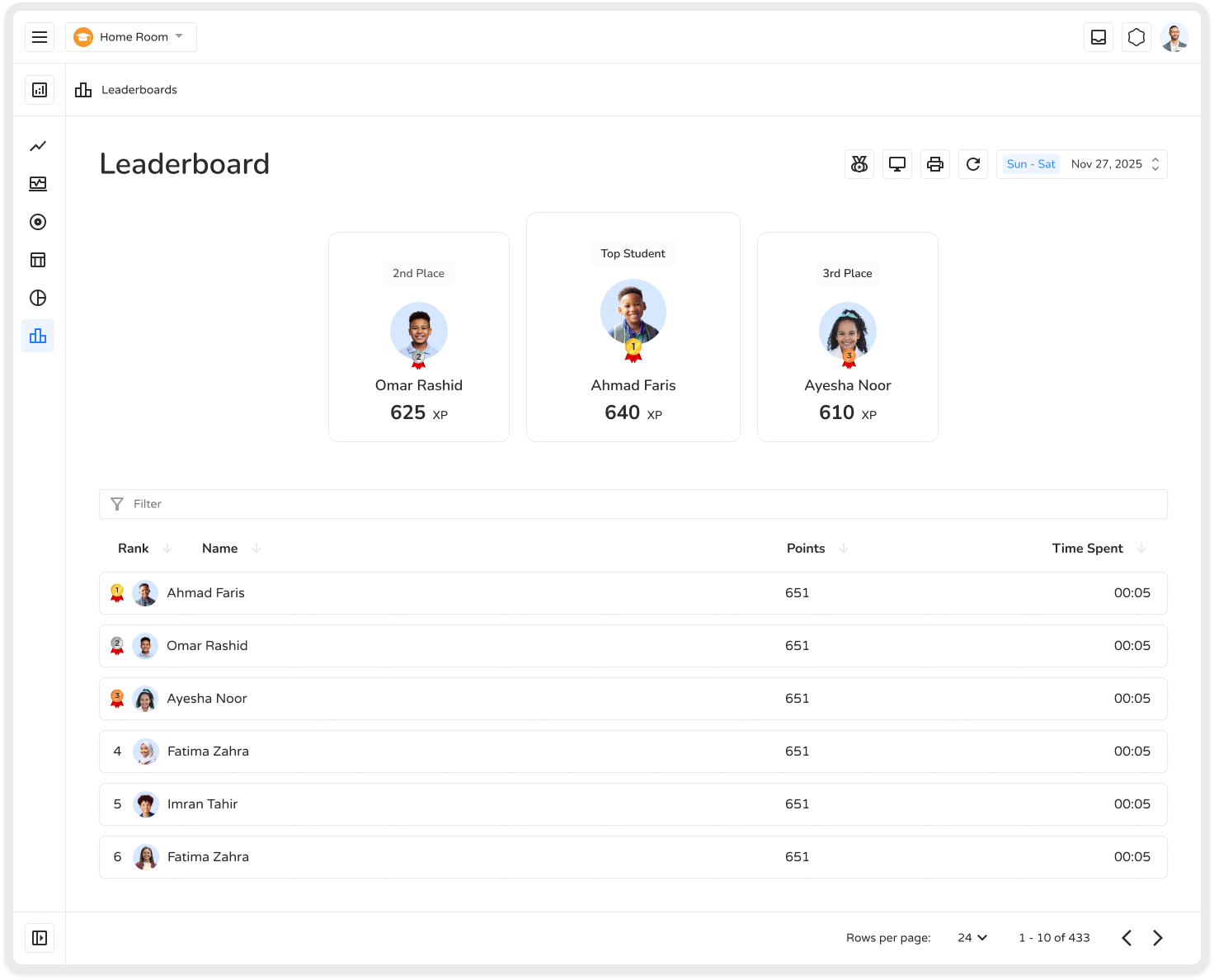
Section titled “Key Features”- Visual Medals — Celebrate top performers and encourage others to improve.
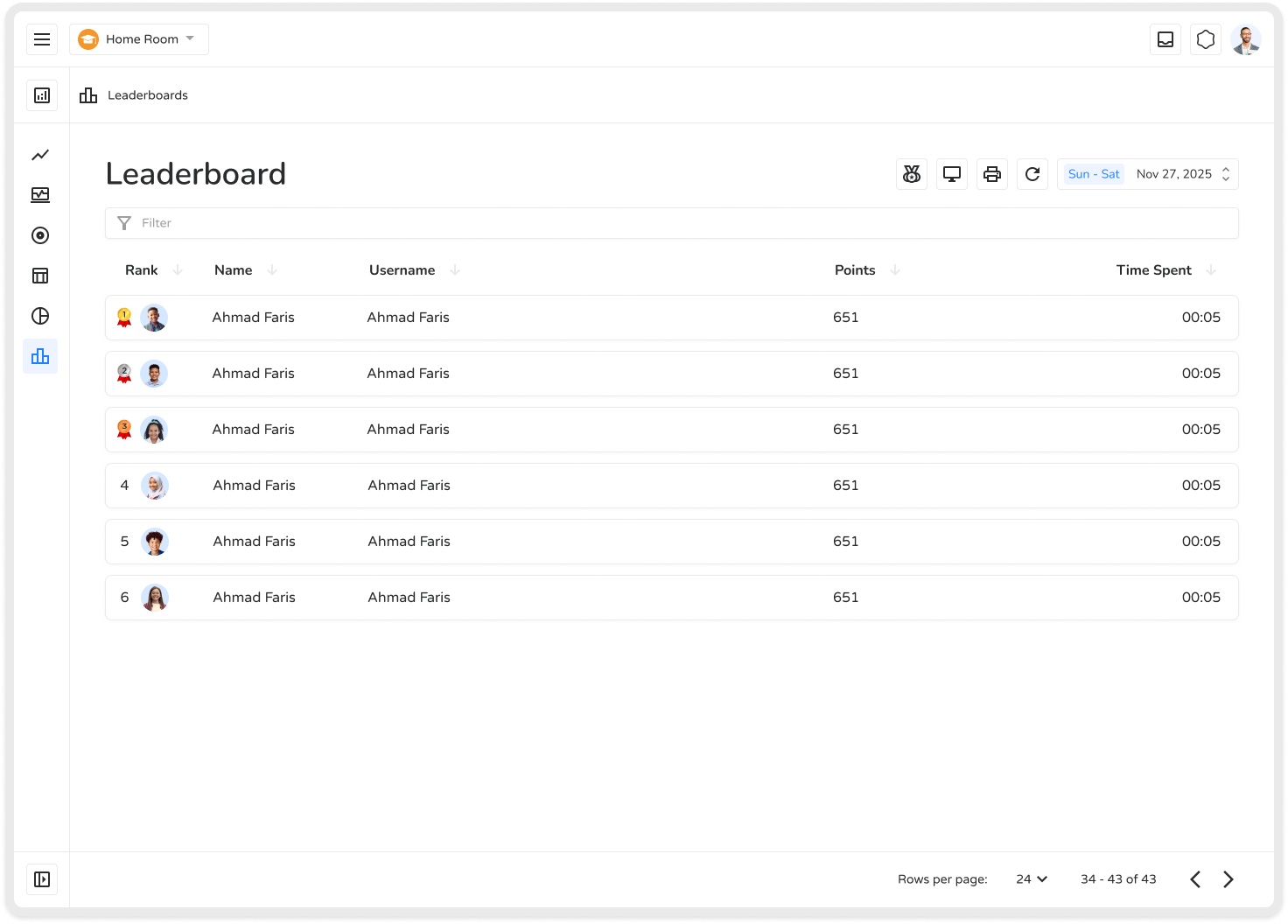
- Detailed Rankings — Table shows Rank, Name, Username, Points, and Time Spent.
- Gamified Motivation — Promotes friendly competition and drives active participation.
- Scoped Views — Pull a leaderboard for an entire organization, one class, one specific lesson/quiz component, or one assignment.
How Rank Is Decided
Section titled “How Rank Is Decided”Each rule below only kicks in if everyone above it is exactly tied:
1. Highest total points wins (checked first)2. Still tied? Less total time wins (faster overall finish)3. Still tied? Higher average accuracy wins4. Still tied? Higher average speed wins5. Still tied? Whichever account was created more recently wins (final tie-break)Speed is questions answered per minute — a higher number means a faster pace, not average seconds per question.
Consistency — the longest run of correct answers in a row a student achieved during a session — is calculated the same way, but it doesn’t have its own column on this Leaderboard screen. You’ll find it on the Grades side of the app, when drilling into a specific lesson or attempt.
Controls
Section titled “Controls”- Date range filter — recalculates the whole leaderboard for the selected window, not just a filter over a fixed all-time table. “This week” and “this month” can genuinely produce different rankings.
- Archived students toggle — archived students are hidden by default; switch this on to pull them back into view, e.g. for historical record-keeping.
- Search — a single box that understands both student name and class name, so there’s no separate class-selection dropdown to hunt for.
- Sortable columns — click any column header to re-order the table by that metric (e.g. sort by Time Spent to see who finished fastest).
- Export as image — downloads a snapshot of the leaderboard exactly as displayed, respecting whatever date range, sort order, and filters are active.
- Cast to Desktop — opens a separate, larger display meant for a projector or classroom TV, with its own podium view and its own independent filters — it doesn’t just mirror your current on-screen view.
Benefits
Section titled “Benefits”| Benefit | Description |
|---|---|
| Enhances Motivation | Students are encouraged to improve performance and stay engaged |
| Encourages Healthy Competition | Fosters skill growth and ambition without harmful pressure |
| Tracks Progress | Helps educators identify strengths and areas needing support |
| Increases Engagement | Gamification makes learning interactive and enjoyable |
| Provides Educator Insights | Data informs lesson planning and personalized guidance |
| Flexible Scope | View a leaderboard for an entire org, one class, one lesson/quiz component, or one assignment |
Leaderboards make learning interactive, competitive, and measurable — helping students stay engaged and educators make data-driven decisions.
Loading Markdown…
Markdown could not load. or open the raw file.